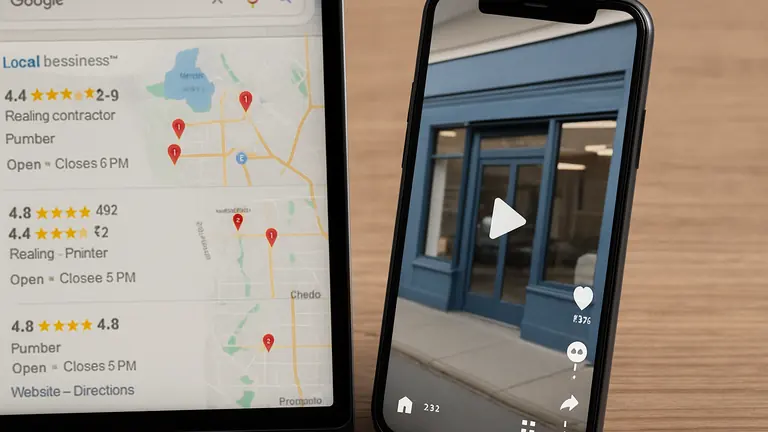

The Problem with a Set-It-and-Forget-It Google Business Profile
Sarah owns a small bakery in her neighborhood. When she first opened, she created a Google Business Profile but didn’t update it after that. Her profile still showed the original hours, even though she added weekend brunch times. She also didn’t respond to customer reviews. As a result, some customers came by when she was closed, and others chose competitors with fresher, more active profiles.
This happens to many small business owners. Setting up your Google Business Profile is easy, but treating it like a one-time task means missing chances to connect with local customers. Your profile needs regular updates and engagement to stay accurate and trustworthy.
Why Ongoing Google Business Profile Updates Matter
- Improves Local Search Rankings: Google favors profiles that are complete, accurate, and show recent activity. Regular updates tell Google your business is active and reliable, helping you rank higher in local searches.
- Builds Customer Trust: Keeping your hours, phone number, and address current, and responding to reviews, reduces customer frustration and shows you care.
- Encourages Customer Action: Adding photos and choosing the right categories helps Google connect your business to the right searches and makes your profile more inviting.
Common Google Business Profile Mistakes to Avoid
- Outdated Hours or Contact Info: Forgetting to update hours for holidays or special events causes confusion and lost sales.
- Wrong or Too Broad Categories: Picking generic categories like “Retail” instead of specific ones like “Bakery” means your profile won’t show up for the right searches.
- Ignoring Reviews: Not responding to customer feedback misses chances to build goodwill and address concerns.
- Few or No Photos: Profiles without photos look incomplete and less trustworthy.
Step-by-Step Google Business Profile Optimization
- Claim and Verify Your Profile
Search your business on Google. If you haven’t claimed it, click “Claim this business” and follow verification steps by mail, phone, or email. This gives you control over your profile. - Update Business Information Regularly
Check your hours, phone, address, and website link. For example, update your profile before holiday hours or new services go live to avoid confusing customers. - Choose Accurate Categories
Select categories that match your main services. For example, a coffee shop that also serves sandwiches should include both “Coffee Shop” and “Sandwich Shop” so you appear in relevant searches. - Add Clear, Quality Photos
Upload pictures of your storefront, interior, products, and team. Good photos help customers recognize your business and feel more comfortable visiting. - Monitor and Respond to Reviews
Check your profile regularly for new reviews. Thank customers for positive feedback and professionally address any complaints to build trust. - Keep Your Profile Updated
Set a weekly or monthly reminder to review and refresh your profile. This might include adding new photos, adjusting hours, or replying to reviews. Regular updates keep your profile relevant and visible.
Real-World Example: A Local Coffee Shop’s Approach
Mark runs a coffee shop downtown. Each season, he updates his Google Business Profile with new hours, photos of seasonal drinks, and current descriptions. He also responds to customer reviews daily. This ongoing care keeps his shop near the top of local searches for terms like “coffee near me.” Customers appreciate the accurate info and engagement, which encourages more visits and calls.
Why Regular Updates Beat a One-Time Setup
Google’s local search algorithm looks for fresh content and activity. Profiles that stay the same risk falling behind competitors who update photos, answer reviews, and keep info current. Regular maintenance shows your business is open, active, and ready to serve.
The tradeoff is clear: spending a few minutes each week prevents lost customers and builds a reliable local reputation. Neglecting updates means missing out on these opportunities.
Getting Started: Simple Steps You Can Take Today
If you’re new to Google Business Profile optimization, start small. First, claim and verify your profile if you haven’t already. Next, check your hours and contact info for accuracy. Add several quality photos this week. Finally, set a weekly reminder to read and respond to new reviews.
These manageable steps add up over time, steadily improving your profile and helping you attract more local customers without overwhelming your schedule.
If you want deeper assistance or a profile review, reach out to us at Loyal Fan Loop. We can help you build a profile that works for your small business. Learn more here.
Need Help with Your Google Business Profile?
If you want personalized support to improve your Google Business Profile and attract more local customers, contact us at Loyal Fan Loop. We focus on straightforward marketing strategies that fit small business needs.